

Initial Setup Instructions
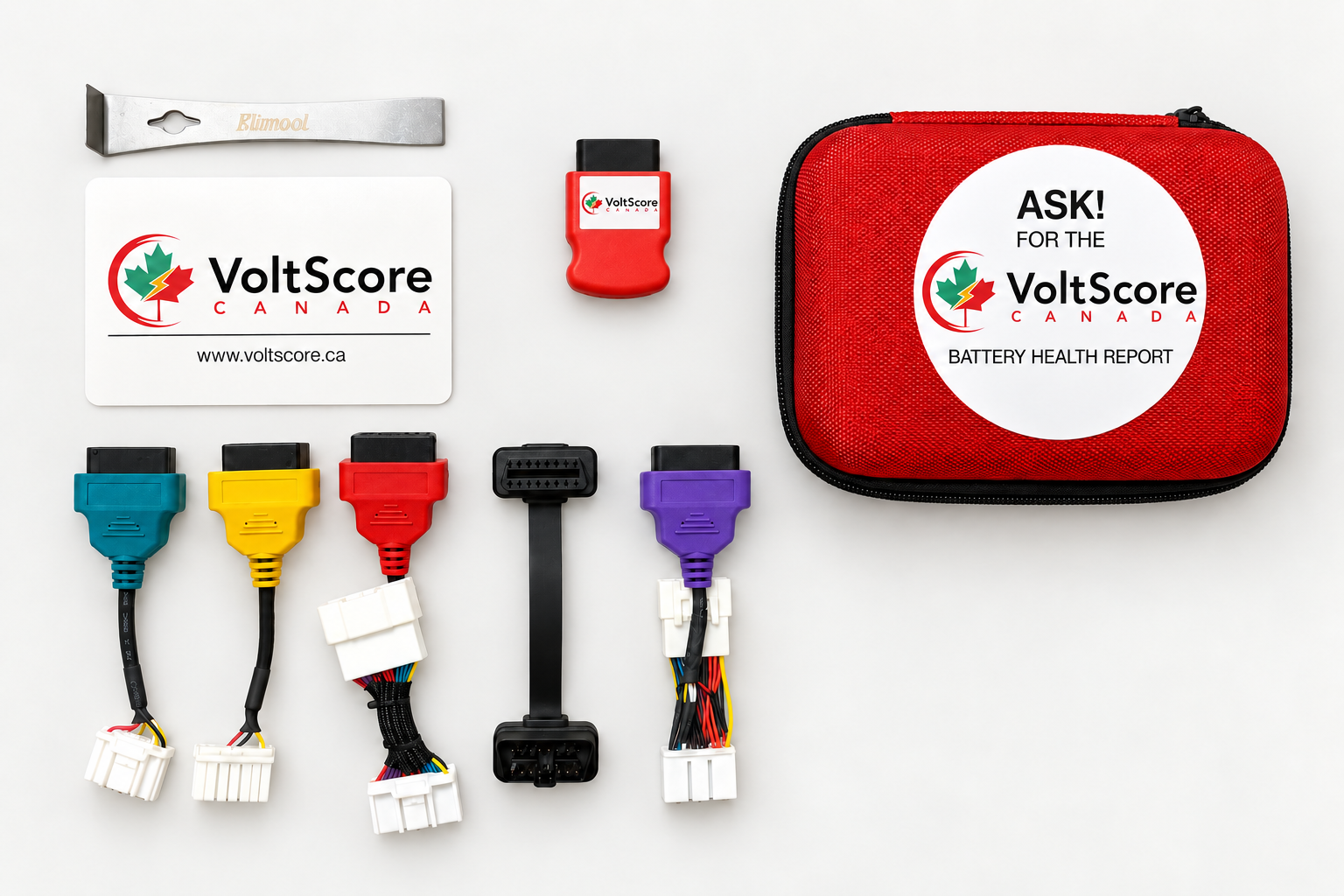
Your VoltScore kit includes:
- VoltScore Device
- 6" OBD Extension cable and 4" Pry bar
- Tesla Model 3 / Y adapter (2019–2023) in RED
- Tesla Model 3 (2018) adapter in PURPLE
- Tesla Model S / X adapter (2012–2015) in GREEN
- Tesla Model S / X adapter (2015–2021) in YELLOW
How to set up your account:
- Download the iOS app "VoltScore Battery Health Reports" from the Apple App Store, or the Android app "VoltScore EV Battery Health" from Google Play.
- Sign up on voltscore.ca and verify your account via email.
- Review voltscore.ca/supported-vehicles for our growing list of supported vehicles.
How to create reports for most vehicles (Plug & Play):
- Turn the vehicle to FULL IGNITION ON (with a State of Charge between 10%–95%).
- Start the VoltScore app and log in.
- Plug the VoltScore device into the diagnostic port, then follow the app.
How to create reports for Tesla vehicles:
- Put the vehicle into Drive Mode (with a State of Charge between 10%–95%).
- Start the VoltScore app and log in.
- Select the Tesla model from Step 2 in the app.
- Find the diagnostic port (see model-specific steps below), then follow the app.
- Keep your foot on the brake to keep the vehicle awake (critical for Model 3 and Y).
Tesla Model S and Model X (2012–2021)
- Push down and detach the storage panel under the main screen.
- Find the blue Tesla connector and connect either the Green adapter (2012–2015), the Yellow adapter (2016–2021).
- Plug the VoltScore device into the OBD connector on the cable, then follow the app.
Model 3 and Model Y (2019–2023)
- Enter the vehicle through one of the back doors.
- Remove the panel behind the front seats using the pry bar.
- Push the tab on the blue Tesla connector to separate the Tesla cables and plug the Red adapter in between.
- Plug the VoltScore device into the OBD adapter, then follow the app.
Using the VoltScore iOS App
A full walkthrough — login, select vehicle, connect, scan, and receive your report.
VoltScore iOS App Demo
From login to battery health report.
VoltScore Test Demo
A full test run, start to finish.
The battery data scan takes about 90 seconds to 2 minutes, depending on the vehicle. When it's done, unplug the device — your report arrives within 15 seconds.
Installation Videos
Teslas need an adapter cable. These show exactly where and how to connect by model.
Tesla Model S or X — Install
Releasing the storage box and connecting the cable.
Tesla Model 3 or Y — Install
Accessing the panel and the two blue connectors.
Troubleshooting
Do I need to pair the VoltScore Bluetooth device with my phone?
No. The VoltScore device does not require pairing or any configuration. Just plug it into your vehicle and the app will automatically recognize it.
My app doesn't connect to the device when it's plugged in.
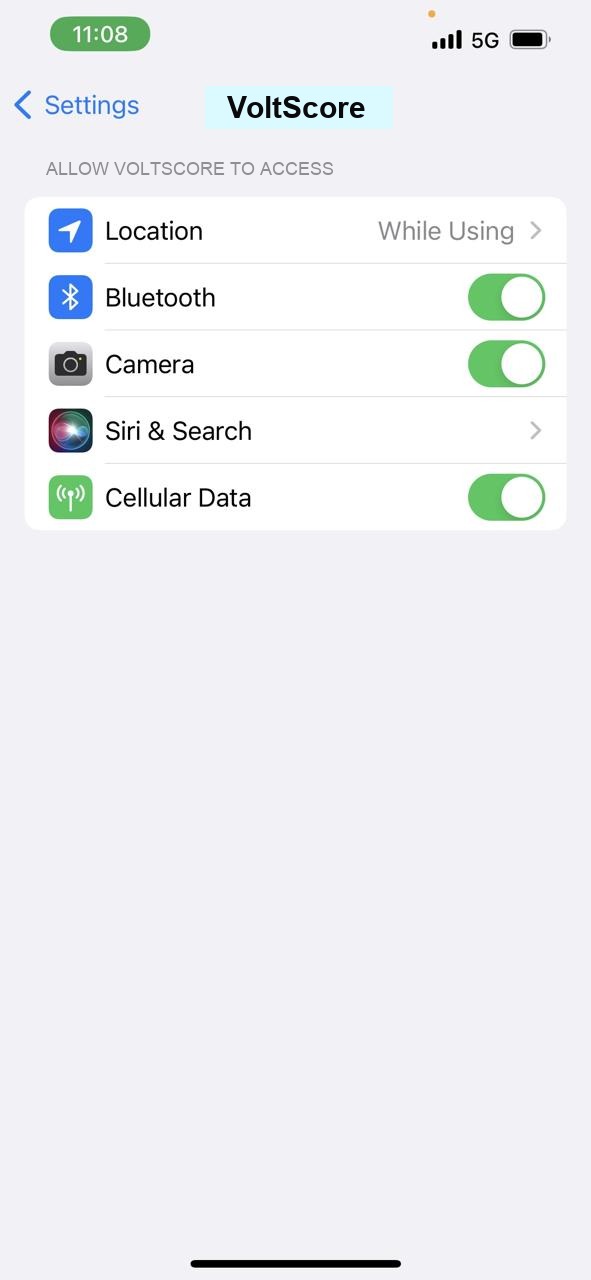
First, confirm the VoltScore app permissions — Location, Bluetooth, Camera, and Cellular Data should all be allowed (Settings → VoltScore). Then reset the app: close it fully, turn Bluetooth off and on, and restart the app and log in again.
I don't see a range map on my reports.
Go to your device Settings and enable GPS/Location for the VoltScore app. Once the app can determine your location during a test, we can generate a range map on the report.
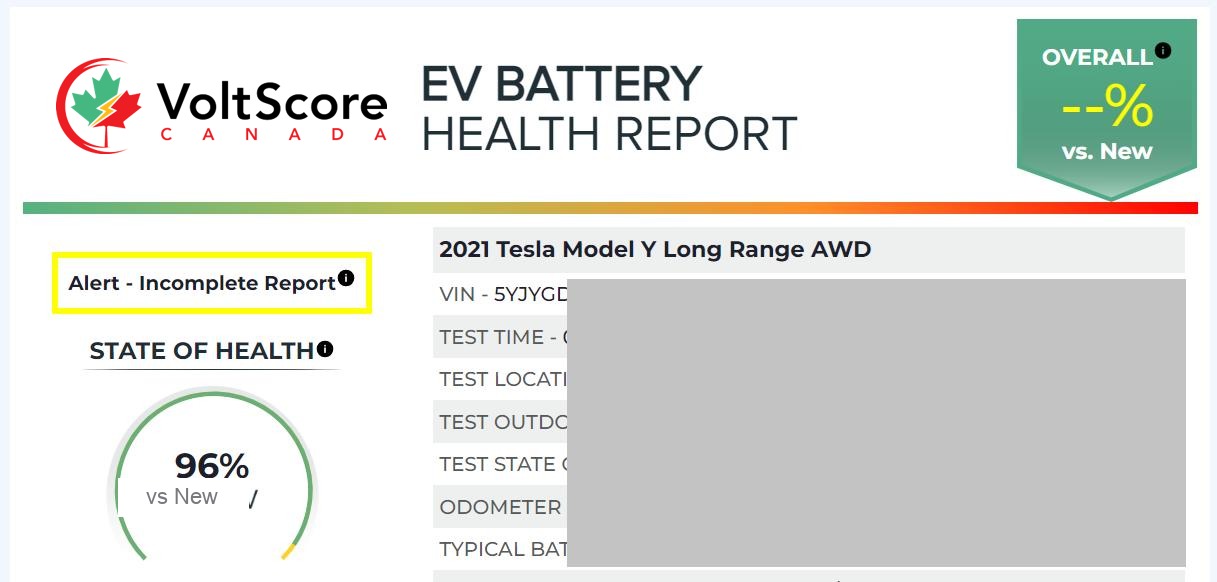
I ran a report but it says "Alert — Incomplete Report."
For some vehicles we require a minimum 50% State of Charge to run a complete test. We evaluate individual cell voltage values to assess premature-failure risk; at lower charge levels the differences between cells are muted.